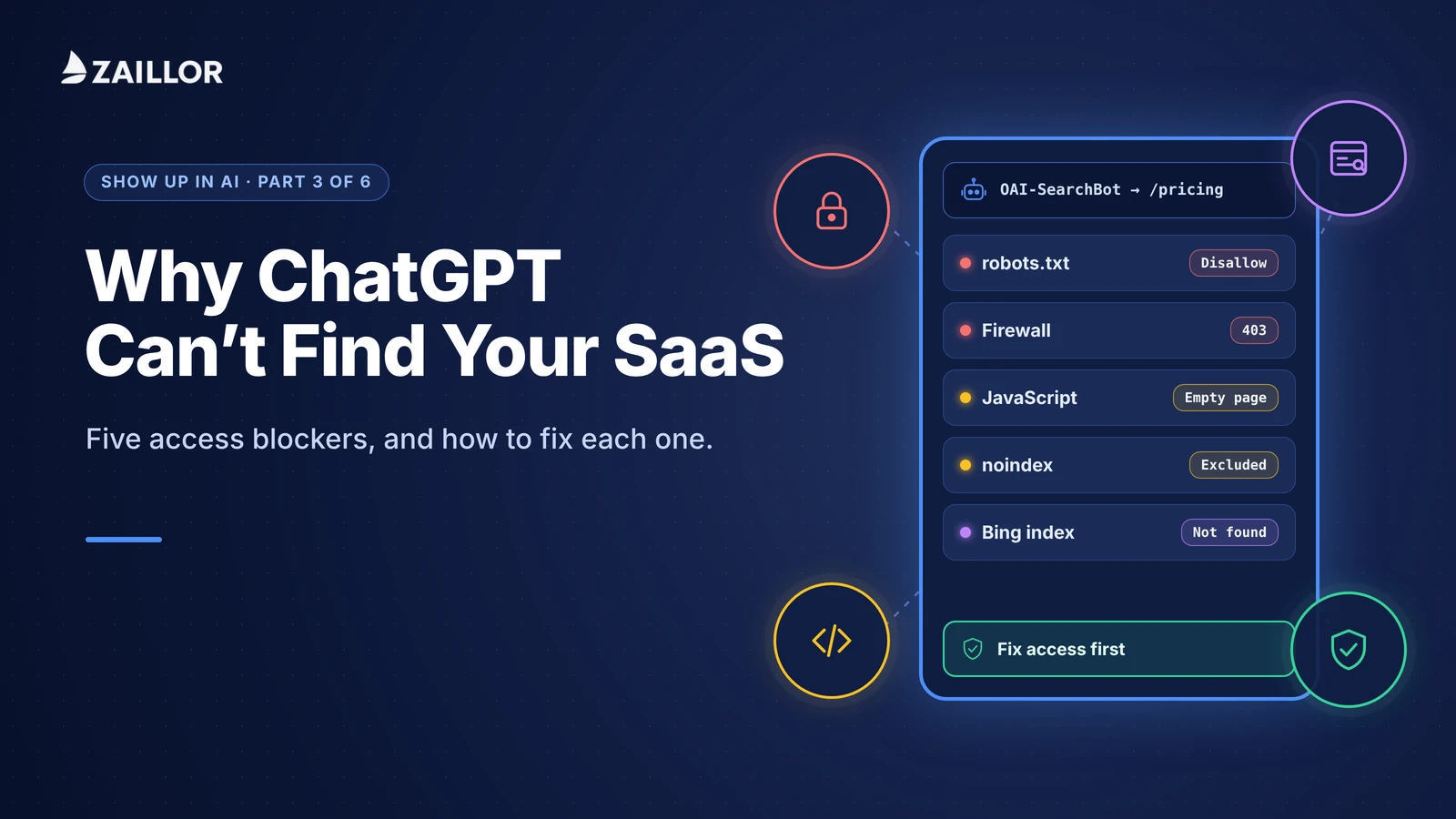
The short answer: If your SaaS isn't appearing in ChatGPT, start by checking whether ChatGPT can actually access your website. It can only cite pages its search can find and read.
A few common issues can get in the way: your robots.txt file might be blocking OAI-SearchBot, your firewall could be stopping OpenAI's crawlers, important content might only load after JavaScript runs, or your pages may be hidden behind a login or marked as noindex. It's also possible that your pages aren't indexed by search providers such as Bing.
Start by fixing these access and indexing issues. Once your pages are accessible, you can focus on the recommendation signals covered in Part 2.
This is Part 3 of Show Up in AI. Part 1 covers the six main reasons a SaaS might be missing from AI search. Here, we'll focus on the first two: website access and indexing.
How Does ChatGPT Find Your SaaS Website?
Before troubleshooting, it helps to understand how ChatGPT discovers and references websites.
Here's a simplified look at what happens:
- ChatGPT decides whether to search the web. When a question could benefit from current online information, ChatGPT may automatically search the web (OpenAI Help Center, ChatGPT Search, checked November 2026).
- It sends queries to search providers. OpenAI says it may share disassociated search queries with third-party providers such as Bing.
- It accesses relevant pages. OpenAI uses crawlers such as OAI-SearchBot to help surface websites in ChatGPT search results. ChatGPT-User may also visit a page when someone asks ChatGPT a question (OpenAI, crawler overview, checked November 2026).
- It uses what it finds to answer and cite sources. An October 2026 study from the University of Toronto found that pages are cited when they're retrieved through search, while brands can also be mentioned based on what the model already knows.
OpenAI's publisher FAQ also confirms that any public website can appear in ChatGPT search.
So, if your SaaS isn't showing up, the first thing to investigate is whether something is preventing ChatGPT from accessing your website.
Why Isn't Your SaaS Showing Up in ChatGPT? Five Common Access Issues
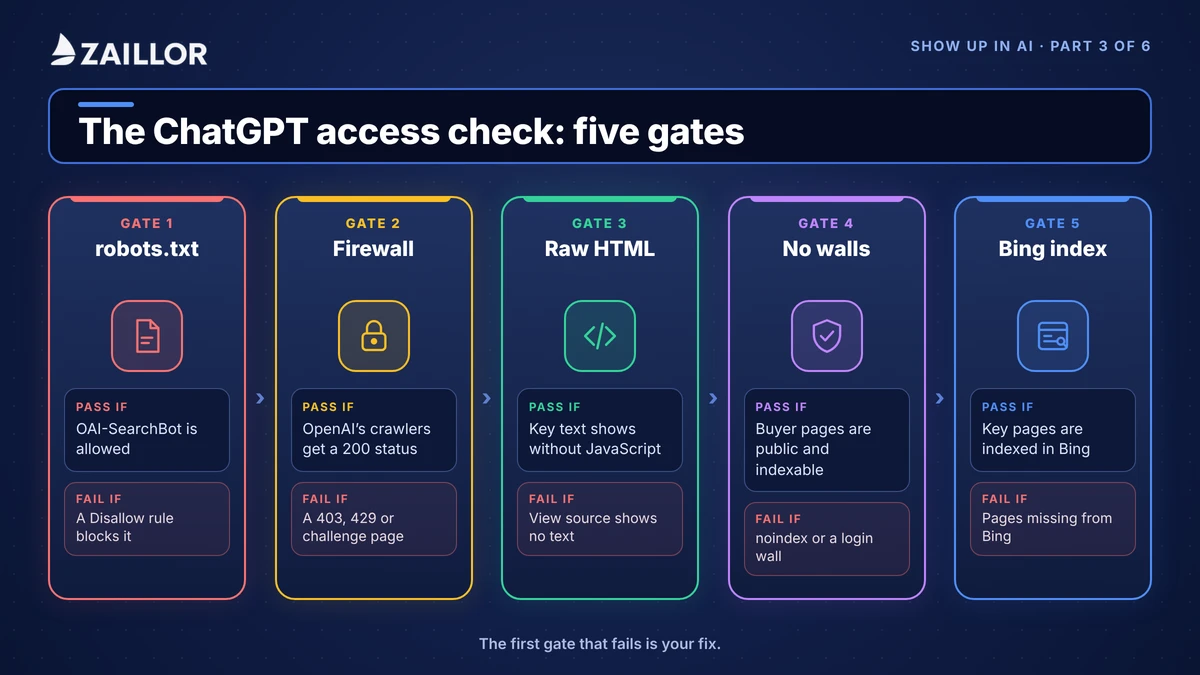
There are five technical issues worth checking first.
| Potential issue | What happens | Where to check |
|---|---|---|
robots.txt blocks OAI-SearchBot | Your pages won't appear in ChatGPT search results. | yoursite.com/robots.txt |
| Firewall or CDN blocks OpenAI | The crawler receives an error or gets stuck on a security challenge. | CDN bot settings and server logs |
| Important content loads only through JavaScript | ChatGPT may receive a page with little or no useful content. | View source on important pages |
| Noindex tag or login requirement | Pages may be excluded from search or inaccessible to crawlers. | Meta robots tags and gated pages |
| Pages aren't indexed by Bing | Search providers may not return your pages. | Bing Webmaster Tools |
A couple of these issues deserve extra attention.
JavaScript-rendered content: OpenAI's crawler documentation doesn't clearly confirm whether its crawlers execute JavaScript. It's safer not to depend on that. Make sure important information, such as your product category, pricing, features and key differentiators, is available directly in the page's HTML.
CDN and firewall settings: Your robots.txt file might allow OpenAI's crawlers, but that doesn't automatically mean your firewall will let them through. For example, Cloudflare offers separate controls for AI search, agent and training crawlers. Blocking search or agent traffic at this level can prevent access even when your robots.txt rules are correct (Cloudflare documentation, AI Crawler and Agent access policies, updated November 2, 2026).
How to Check Whether ChatGPT Can Access Your Website
You don't need to guess what's wrong. A few straightforward checks can help you identify where the problem starts.
Run all six checks below. The first two help you understand what ChatGPT can currently see. Checks three through six help you find the underlying technical issue.
The six-step ChatGPT access check
| Check | What to do | What success looks like | Warning sign |
|---|---|---|---|
| 1. Brand test | Ask ChatGPT, with search enabled: “What is [brand]?” | ChatGPT cites your website. | It cites other websites or doesn't mention you. |
| 2. Page test | Ask ChatGPT to open and summarise your pricing page URL. | It can read and explain the page. | It says the page can't be accessed. |
| 3. robots.txt | Visit yoursite.com/robots.txt. | OAI-SearchBot is allowed. | OAI-SearchBot or all bots are disallowed. |
| 4. Server logs | Look for OAI-SearchBot activity in your server or CDN logs. | Requests return HTTP 200. | Requests return 403, 429 or a security challenge. |
| 5. Raw HTML | View the source code of your homepage, pricing page and product pages. | Important content is visible in the HTML. | Key information is missing. |
| 6. Bing indexing | Check important URLs in Bing Webmaster Tools. | Pages are indexed and not marked noindex. | Pages aren't indexed or have a noindex directive. |
Once you've completed the checks, here's how to interpret the results:
All six checks pass, but ChatGPT still doesn't recommend your product? Website access probably isn't the issue. The next step is to look at the recommendation signals discussed in Part 2.
Want to check whether ChatGPT is already sending you visitors? OpenAI automatically adds the UTM parameter utm_source=chatgpt.com to referral URLs. Look for this source in your website analytics (OpenAI publisher FAQ).
How to Fix ChatGPT Access Issues: Six Steps
Found a problem? Here's how to work through the fixes.
1. Allow OAI-SearchBot in your robots.txt file
Start by checking whether your robots.txt file allows OpenAI's search crawler to access your website.
You can add a rule like this:
User-agent: OAI-SearchBot
Allow: /
After updating the file, give OpenAI's systems some time to recognise the change. According to OpenAI, adjustments can take approximately 24 hours after a robots.txt update.
2. Make sure your firewall isn't blocking OpenAI
Even if your robots.txt file is configured correctly, your CDN or firewall might still block OpenAI's crawlers.
OpenAI publishes IP address lists for OAI-SearchBot and ChatGPT-User in its crawler documentation.
Review your security settings and allow the relevant traffic. If you've enabled blanket AI-bot blocking, check that it isn't preventing these crawlers from reaching your public pages.
3. Make important content available in your HTML
If your pricing, product descriptions or feature information only appears after JavaScript executes, crawlers may not be able to read it reliably.
Consider using server-side rendering or pre-rendering for your most important pages, including:
- Homepage
- Pricing pages
- Product and feature pages
- Integration pages
- Product comparison pages
The goal is simple: make sure the information a potential customer needs is available in the page's HTML.
4. Remove unnecessary access restrictions
Your most important buyer-facing pages should be publicly accessible.
Check that your pricing, features and integration pages don't require visitors to log in. Also, remove noindex directives from pages you want search engines and AI search systems to discover.
OpenAI notes that a noindex meta tag can prevent even a basic link and page title from appearing in ChatGPT Atlas. So it's worth checking these tags carefully.
5. Get your important pages indexed in Bing
Since ChatGPT may use search providers such as Bing, make sure your website is discoverable there.
Start with these steps:
- Verify your website in Bing Webmaster Tools.
- Submit your XML sitemap.
- Check whether your important URLs are indexed.
- Request indexing for pages that are missing.
Pay particular attention to your homepage, pricing pages, product pages and integration pages.
6. Test everything again
After making the changes, repeat the brand test and page test.
Give the changes around 24 hours before checking again, particularly after updating robots.txt. For ongoing monitoring, repeat the same tests every month.
One important distinction: Blocking GPTBot doesn't automatically block OAI-SearchBot, and allowing one doesn't automatically allow the other. GPTBot is associated with model training, while OAI-SearchBot supports ChatGPT search. OpenAI explains that these settings operate independently.
For a deeper explanation of crawler permissions, see our guide to robots.txt for AI crawlers.
A Practical Example: When ChatGPT Couldn't Read a SaaS Pricing Page
This is an illustrative example, not a real client result.
A billing software company based in Pune noticed something unusual. When potential customers asked ChatGPT about its pricing, it kept quoting outdated prices from a third-party review website.
The company's own pricing page was available, but there was a problem: its pricing table loaded through JavaScript, and its CDN was challenging unfamiliar bots.
As a result, ChatGPT wasn't reliably accessing the latest pricing information.
The company made two changes:
- Allowed OpenAI's crawlers through its CDN.
- Made the pricing table available directly in the page's HTML.
The result: ChatGPT could now access and read the company's pricing page directly.
The takeaway? Sometimes, your SaaS isn't missing from ChatGPT because of weak content or poor recommendations. It simply can't get through to your website.
Show Up in AI: What's Next?
This article is Part 3 of our six-part SaaS AI visibility series. Each part looks at a different reason your product might not be appearing in AI-generated answers.
The complete six-part series
- Part 1: Why doesn't my SaaS show up in ChatGPT, Gemini or Claude? Live
- Part 2: What signals does ChatGPT use to recommend SaaS vendors? Live
- Part 3: Why isn't my SaaS showing up in ChatGPT? You're here
- Part 4: How do I get my SaaS recommended by Gemini? Coming soon
- Part 5: Why isn't my SaaS showing up in Claude? Coming soon
- Part 6: Why is my SaaS missing from AI answers despite strong Google rankings or visible competitors? Coming soon
Explore all six articles on the Show Up in AI SaaS visibility series page.
Frequently Asked Questions
Can I submit my SaaS website directly to ChatGPT?
Not through a dedicated submission form, according to OpenAI's publisher FAQ. Instead, OpenAI advises website owners to make sure their sites aren't blocking OAI-SearchBot.
In other words, focus on making your website accessible rather than looking for a manual submission process.
How long does ChatGPT take to recognise a robots.txt change?
OpenAI says its systems may take around 24 hours to adjust after a robots.txt update.
Keep in mind that this doesn't guarantee immediate visibility. If your pages also need to be discovered and indexed, that process may take longer.
My SaaS ranks well on Google. Why can't ChatGPT find it?
A strong Google ranking doesn't automatically mean ChatGPT can access your website.
Your robots.txt rules, firewall settings and Bing indexing status all matter. A website can perform well in traditional search while still having technical barriers that prevent AI search systems from accessing its content. Read why a healthy SEO report can still hide AI visibility problems.
Does blocking ChatGPT-User affect my visibility?
It can.
ChatGPT-User may fetch a webpage when someone asks ChatGPT a question. OpenAI also explains that robots.txt rules may not apply to this user-triggered crawler.
That's why checking your firewall and CDN settings is important, even if your robots.txt file looks fine.
How can Zaillor help a SaaS that isn't showing up in ChatGPT?
Zaillor is an AI Visibility Optimization company that helps SaaS businesses improve how they appear across AI-powered search platforms.
Its AI SEO and Answer Engine Optimization (AEO) implementation services cover technical accessibility, AI crawler access, schema markup and content improvements.
The aim is to make your website easier for AI systems to discover, understand and reference. However, no service can guarantee that ChatGPT will recommend or mention a particular product.
What Should You Do Next?
If your SaaS isn't appearing in ChatGPT, don't start by rewriting all your website content. First, make sure ChatGPT can actually access what you've already published.
- Step 1: Run all six access checks this week. Find out whether ChatGPT can identify your brand, read your important pages and access your website without technical restrictions. Zaillor's AI SEO service also includes prompt monitoring across ChatGPT, Gemini and Claude, helping turn occasional brand checks into a regular visibility record.
- Step 2: Fix the first technical issue you find. Start with the earliest failed check. If your pages have crawling, rendering or indexing problems, technical SEO support can help you resolve them.
- Step 3: Test again and keep monitoring. Repeat your checks after around 24 hours, then make them part of your monthly SEO routine.
Getting your SaaS into ChatGPT starts with something surprisingly simple: making sure its search systems can actually find and read your website.
Once that's sorted, you can focus on the next challenge: giving AI systems enough useful information and trust signals to recommend your product. Continue with Part 2: the signals behind ChatGPT's SaaS recommendations.

About the author
Ayush Gupta
Operations Manager, Zaillor
Ayush Gupta is Operations Manager at Zaillor, with four years of experience in digital marketing and SEO, covering keyword research, on-page and off-page optimisation, and website audits.
View Ayush's profile on LinkedIn
Last updated: